Canvas comes to UMW

I can now happily report that UMW is going to be using Instructure Canvas for our Course Management System. Here is a little video that typical students might have if they bumped into each other on the streets of Fredericksburg.

Posted in Canvas | 1 Comment

Dr. Oblivion, We Miss You!

Posted in Audio & Video | Tagged | 9 Comments

Kirby’s Remixes are Everything!

Everything is a Remix Part 3 from Kirby Ferguson on Vimeo.

If you’ve been living under a new media rock, then you might not have heard of Kirby Ferguson’s “Everything is a Remix” series. If you have been fortunate enough to watch it, you’ve been treated to some very well researched videos that explore the notion that in modern times there is no more original thought. Everyone is just copying, or worse yet stealing, previous works. Ferguson doesn’t dispute that fact. He just simply points out that it has been going on for centuries.

His latest video is another myth-buster. Specifically the mythology of invention. Ferguson points out that copying is one of the key elements of creativity. We so insularize the modern day inventions and inventors in our history that we don’t realize the ideas that were duplicated from previous, less well know creators that enabled the breakthroughs. The common theme is that we remember the mass marketers of an invention, and not the true inventor(s) who were copied from. As musician Damon Albarn once said “the whole thing about pop music is that you’re ripping off as many people as you possibly can, and the trick is to listen to the right people”.

Through parts 1, 2 and now 3, Ferguson hammers home the point that copying is what has advanced our society in every facet. However, it is no less work to copy previous works, and it is the tedious tinkering that has produced the breakthroughs, improvements, and radical changes in our lives. Now go watch these three videos if you haven’t already – and then have at those remixes.

Hat tip to the inimitable timmmmboy for scooping me on the latest video. I had been waiting for it, but he beat me to the punch.

Posted in Copyright, Technology | 1 Comment

Climbing with technology

For the past several years I have had a couple of what I like to call “marker” bike rides. They are rides to let me know that I’m progressing adequately in my training. The Virginia MS Ride is one I’ve been doing for 12 years now. It is a ride that involves riding a long distance (75 miles each day), and it includes some hill climbing. No major elevations, but enough to challenge the legs. So my marker rides are a long day in the saddle, and a hill climb.

Today, I did the hill climb. Virginia has the great benefit of having some beautiful mountains in the western part of the state, and beaches in the east. The Blue Ridge Mountains happen to be just over an hour from my home, so I start from a base there and head almost immediately uphill.

This year I brought along some technology with me – my iPhone. Alright, I usually bring my iPhone, but a service called Strava allows me to use the iPhone’s built-in GPS to track my ride and plot my course, as well as my changes in elevation. The result is the page with the map you see above.

I am using the free version (5 rides a month) to get an idea of how the service works. It’s $6 per month to have unlimited rides. I like getting details on rides like the climb to Skyline Drive, but I don’t personally need details on every ride. For me it’s just fascinating to see the data on those special rides, and seeing how hard I did ( or didn’t ) work.

Posted in cycling, personal | 1 Comment

Faculty Academy 2011 Videos

Recovering from the 2011 Faculty Academy this year has been better/easier than other years – Because it was so good. We implemented a new system of streaming (Justin.tv) and it has the advantage of directly uploading to YouTube. Depending on your account, the videos will either be broken up into 15 minute segments, or will remain the original length. It depends on how long you have had a YouTube account and what “standing” your account is in (any copyright violations?).

Based on the length of the videos from Faculty Academy, it’s not a bad thing to have them broken up in smaller more digestible chunks. Not that all of our speakers weren’t SUPER compelling ;-)

The other nice touch of having the direct YouTube connection is that a playlist is automatically created if the videos are broken up. So, without too much fuss you can watch the “chunks” one after the other. If you decide to take a break, you can pick up where you left off quite easily.

So here are the videos, embedded as playlists from Faculty Academy 2011:

(Note: the Michael Wesch video is available at Justin.tv.

Posted in Faculty Academy, YouTube | 1 Comment

The Kit

The Kit

There’s a bit of history surrounding “The Kit”. It all started with a presidential initiative back in 2006. We worked with a company to provide live streaming of lectures, and “boxes” that included all of the hardware needed to accomplish it, such as the computer, audio mixing board, two PTZ (Pan, Tilt, Zoom) video cameras, and a wireless microphone. It all got lugged around in a large rolling case, like something you’d see a band use on their world tour, pushing it in and out of the semi-trailer. It was huge, but it contained everything that was needed – except maybe the tripod wouldn’t quite fit.

The computer was a Shuttle PC with a Video Toaster card inside. I wrote (briefly) about it almost 4 years ago – Time to Make Video Toast.

toaster1

It was a pretty sweet system in its day. Interesting how four years can seem like a generation ago when it comes to technology. This was also at a time when there was the shiny allure of recording in High Definition video. It was an upgrade for the Toaster that didn’t exist, even though HD cameras were available. Nope it was all Standard Definition video, with a composite connection to the Toaster, so the video quality was pretty low. When the time came to stream the video, a lot of the detail was being lost. For the 2009 Faculty Academy we used the Toaster with Ustream.tv. With no built in streaming capabilities (nothing cheap like Ustream anyway), we used an intermediary program called WebcamMax to get the captured video output to Ustream. It worked, and we got good feedback on the live stream, as well as exposing more people to the magic of Faculty Academy.

For 2010, my old Macintosh DNA was re-surging. I had started using a MacBook Pro in 2008, but I was using it to run Windows Vista. Pretty quickly I might add. I began making the switch to OS X in 2009, and I was beginning to investigate video solutions that would replace the Toaster. I found that the Mac platform had an interesting set of developers. There was also this strange phenomenon of bundled software deals available for Macs. In early February there was one called MacHeist. This was the third edition of this “event” and one of the programs included in the bundle was called Boinx TV. If enough people bought the bundle for $49, Boinx TV would be “unlocked”. The software normally sold for $249. I would get Boinx TV and other cool programs like WireTap Studio, Acorn, and Kinemac all for $49.

For Faculty Academy 2010 it was all Mac and Boinx TV. However, we still had the issue of using an intermediary program for streaming. CamTwist, a free program, was used to take the video output from Boinx TV and route it to the Ustream broadcasting page. It works by taking an area of the screen and making your computer think it’s just a built-in webcam (WebcamMax did the same thing). It did pretty well, but it necessitates some window juggling that adds to the interface complexity. The whole system was a general success, though the size of the iMac used was still a bit difficult  to lug around.


cc licensed ( BY NC SD ) flickr photo shared by orioles29

A month later I presented at the 2010 NMC Summer Conference. Using my laptop and Boinx TV, we were inching closer to the ideal. It was a very well received presentation as I did a live show – broadcasted to the live audience and streamed live to the world. It was titled “This Old New Media Center” and the idea was to show how DIY “sweat equity” could be applied to new technologies for someone moderately technology-able to create a live streamed presentation.

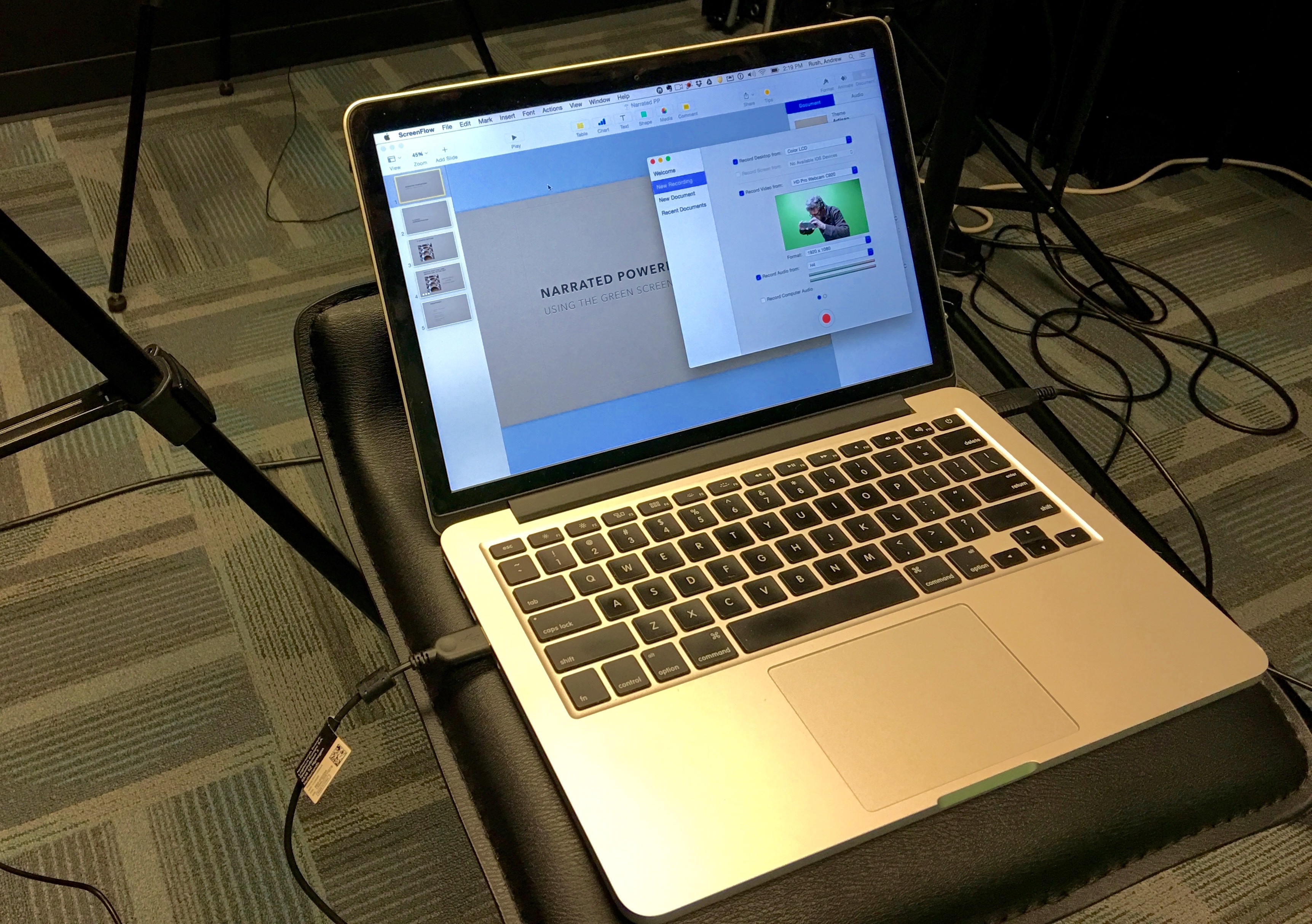
At the beginning of 2011, I began to think of creating the ideal streaming kit. It would have to be a laptop, and one with some horsepower as this live streaming/recording is quite CPU intensive. Everything else would have to be compact as well. It would all have to fit in a backpack, with the exception being a good solid tripod. At about the same time, I was asked to be involved in recording our president give a State of the University speech. While we wouldn’t have the kit ready in time for the speech, we were able to cobble together most of the pieces that would ultimately make up the kit. Much as we liked the Boinx TV software, a critical piece to streamlining the live broadcast and recording was using Telestream’s Wirecast software. It has built-in streaming to several different services such as Ustream, Livestream, and Justin.tv to name a few. It also has a relatively simple interface for doing simple shows. It can also be used for some more complex tasks like chroma-keying (green screen) to put different backgrounds virtually in a video. It certainly is the next step in simplified live streaming.

At the 2011 ACCS of Virginia Conference in March, I again did a live show to unveil “The Kit”. I was able to stream live using Ustream and also make a recording, in HD no less, to the hard drive for archival purposes. I was able to present using the Wirecast software to the local audience and also stream the identical program. My Keynote presentation integrated nicely as Wirecast supports playing Keynote QuickTime movies, so I can advance a slide at a time, or even a bullet point at a time complete with the animations and transitions. A resource page for “The Kit” has the recorded presentation as well as a list of the components.

Kit Time Lapse from umwnewmedia on Vimeo.

I have since given two more presentations with the Kit, and it really is pretty simple to set up. Thanks to the great network of individuals found in the phenomenon known as DS106, we have already seen this employed for something known as DS106 TV. When the concept of DIY technology is unleashed on talented people, great things happen.

Posted in Audio & Video, Faculty Academy, New Media, umwnewmedia | 5 Comments

Creating Historical Photographs

Melchers Olde Tyme

Melchers Olde Tyme

As I and others are finding out, the iPhone 4 is a pretty spectacular digital still camera. One of the key differences with the iPhone is that there are applications (“apps”) that can enhance the capabilities of the handy little device. The iPhone comes standard with a camera app, but one that provides some pretty stunning functionality is Tap Tap Tap’s Camera +. It’s one of those take a picture and apply the filter type programs, but it works very well and provides loads of functionality that I’m just beginning to play with.

Camera + on iPhone

Camera + Effects

The picture at the top of this post, and the ones following, are using the effects (the grunge effect in this case) and the border (the one called Old-Timey) features.

Seeing the photos in this context makes me want to find the stories of these buildings. There are also the “flaws” of the modern day (bicycles, cars, modern signs) intruding on the historical accuracy, but it almost makes it fun to find those errors. Here are the rest.

Olde Tyme duPont

Olde Tyme duPont

Trinkle OT

Trinkle Olde Tyme

Seaco OT

Seacobeck Olde Tyme

Chandler OT

Chandler Olde Tyme

Posted in Flickr, Mobile, Technology | Leave a comment

It’s a Glif

IMG_0397

I got my Glif last week and haven’t used it yet, but I’m still excited about it. After I received it, I subsequently listened to three podcasts that mentioned what a great product it was. It’s nice to have affirmation that you made a smart purchase, especially one like the Glif. You could say it’s a little pricey (about $20), but that’s before you see what it does, and how well it is designed.

Oh right. What is a Glif? Well, on a basic level it is a tripod adapter for the iPhone. It form fits on the iPhone 4 to give you a standard tripod socket. However, because of its design, it can also be used as a stand for both horizontal and vertical orientation. It will be one of those handy gadgets I keep in my computer backpack for different occasions.
IMG_0401 IMG_0403 IMG_0404IMG_0402

Now it’s time to get some use out of this thing.

Posted in Audio & Video, Mobile, Technology | Leave a comment

Visions of Students Today

I’m getting back on my feet after a busy live-streaming week, and a bit of a hiatus from posting in this space. Anyway, here’s a quick post about an interesting follow-up to a great video from Michael Wesch’s Digital Ethnography project.

We’re working on a new video, tentatively titled “The Visions of Students Today.” We are hoping that a few students all over the world will be willing to show us how they see their world and how they learn.

The post giving the details is a call for submissions of a two-minute video of “critical learning moments” from the students perspective. Hoping some of the “ds106-ers” will see this and run with it.

Update: Here are the videos on YouTube tagged with vost2011.

Posted in Audio & Video, New Media, YouTube | Tagged | 1 Comment

Punch and Judy Show

Swanage Punch & Judy

This post is apropos of nothing, but Jim Groom’s The Shining commentary got me interested in Punch and Judy after what might have been a throw away comment at the end of his analysis. Of course, I loved that he was talking about what is probably MY favorite movie. And I must admit I love the “labor” theme that Jim talks about. I think many times about that fine line between how much work and play I do. My DTLT colleagues cut a little close to the bone sometimes as well when they make jokes about my work ethic (such as it is).

The Punch and Judy reference also reminded me of one of my favorite bands songs, Punch and Judy, an obscure one by XTC. It’s a song about a couple who are married and a baby comes along to ruin the potential dreams of the father, which leads to violent behavior. Sound familiar? Maybe that resentment is the key to Jack Torrence’s violent behavior. Don’t worry I’m not going to take this very far, but watching the build up to extreme violence in The Shining does expose Jack’s simmering hatred for his responsibilities.

Again, not related seemingly is the knowledge that all Punch and Judy shows used a device called a swazzle that changed the “Professor’s” voice. It was a “reed” that was placed deep in the throat to make Punch sound more, well, frantic and annoying. It is interesting to me that before violent video games and violent cartoons before that, Punch and Judy shows have existed for over 300 years and probably at various times they have been blamed for encouraging violence in our society.

Finally, my last disconnected thought is of my first exposure to a Punch and Judy show was from one of my favorite Marx Brother’s films Monkey Business. Harpo is a stowaway on a ship along with his brothers and hides from the authorities by playing Punch in the puppet show. The annoying, and yet funny sound of his voice was obviously changed using a swazzle of some sort. Thanks Jim for conjuring up all these thoughts and leading me to greater knowledge!

Posted in General | Leave a comment